Shopify App for Temperature-Sensitive Shipping

Never ship perishables
into a heat wave again

WeatherFreight monitors weather conditions along the entire route from your fulfillment warehouse to the customer’s door—identifying the optimal arrival window to keep your products from freezing or melting.

5.0 on the Shopify App Store·Loved by Shopify merchants

“This is a gamechanger. My team doesn’t have to spend countless hours monitoring weather and when shipping windows are safe anymore.”

Prima Pavé

United States · Verified Shopify merchant

See It In Action

Weather-aware notes.
Written automatically.

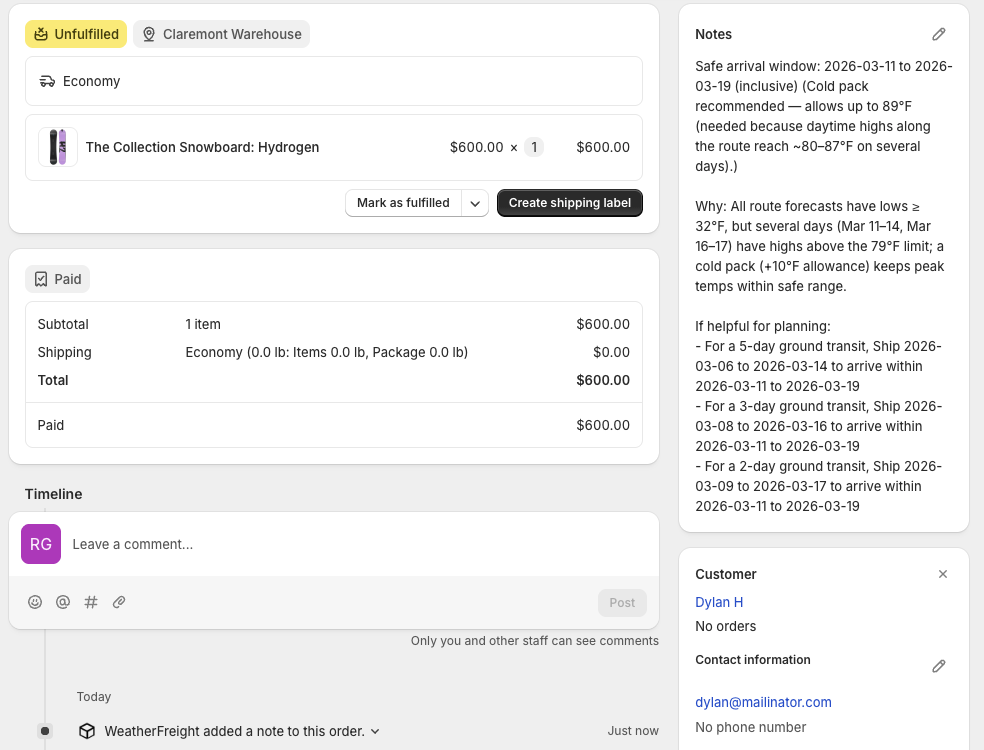
WeatherFreight adds an intelligent shipping note directly to each Shopify order—recommending a safe arrival window based on real forecast data along the route. Your team sees the guidance right where they fulfill.

Have questions? See the FAQ →
Shopify Admin — Orders
Example Shopify order showing a WeatherFreight note with a safe arrival window recommendation based on weather forecasts along the shipping route

An actual order note generated by WeatherFreight in Shopify

How It Works

Intelligent route-based
weather analysis

Route Analysis

Our AI analyzes weather conditions along the entire shipping route, from warehouse to doorstep, checking multiple waypoints for wine, chocolate, pharmaceuticals, and any temperature-sensitive product.

Optimal Window

Identifies the best shipping arrival window when temperatures stay within your safe thresholds. Factors in cold or heat pack tolerances you’ve configured to expand your shipping windows.

Order Notes

Shipping recommendations are automatically attached to each order in Shopify, enabling smarter fulfillment decisions without any manual monitoring required.

Dashboard

Full visibility from one dashboard

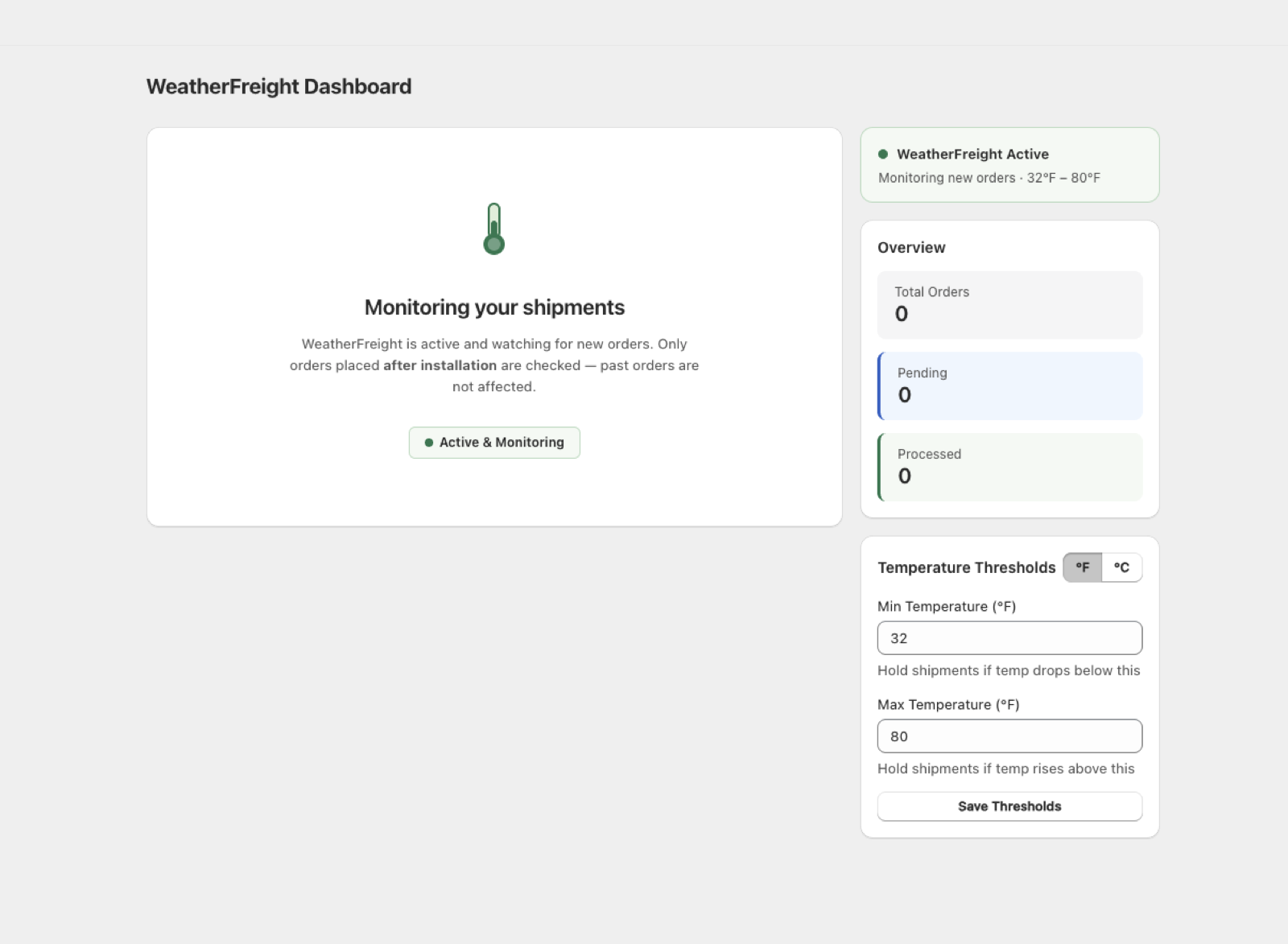
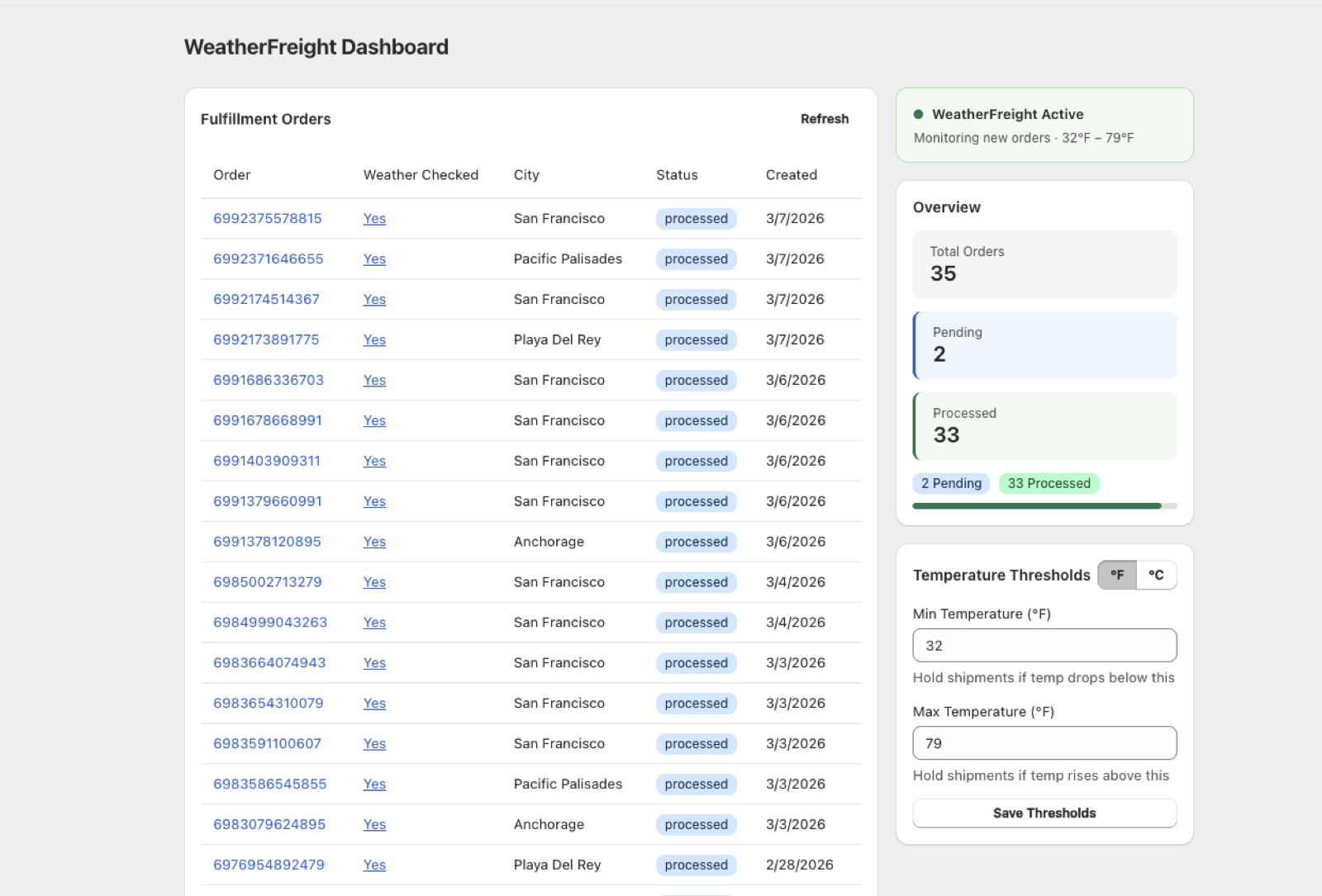
Track every fulfillment order at a glance and configure custom temperature thresholds to match the exact requirements of your products—no guesswork, no one-size-fits-all limits.

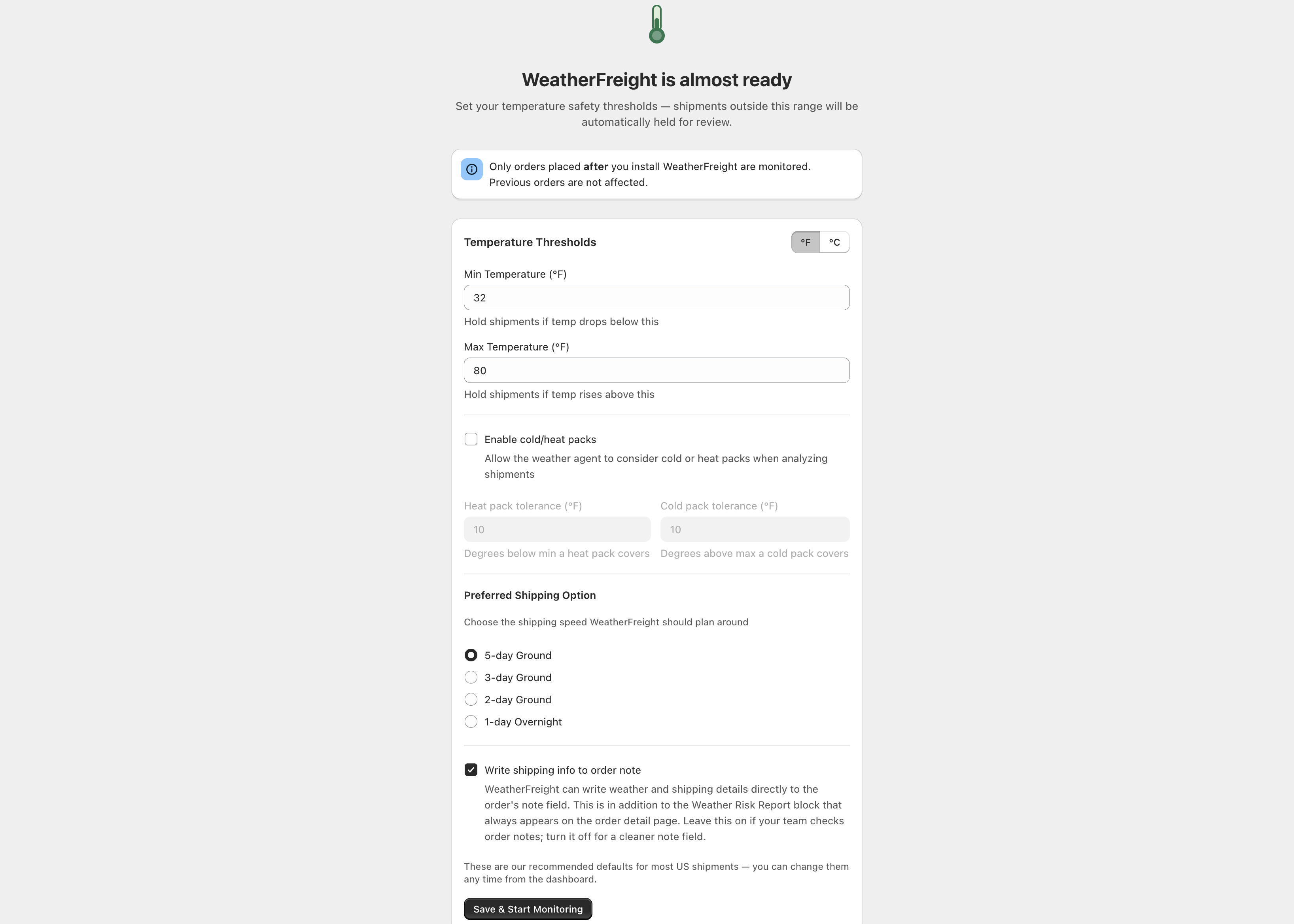
WeatherFreight Dashboard
WeatherFreight onboarding screen showing initial setup flowWeatherFreight dashboard showing initial state with fulfillment ordersWeatherFreight dashboard showing steady-state fulfillment order tracking with temperature thresholds

Set min and max temperature thresholds tailored to your product line

“This is a gamechanger. My team doesn’t have to spend countless hours monitoring weather and when shipping windows are safe anymore.”

Prima Pavé

United States · Verified Shopify merchant

★ 5.0 on the Shopify App Store

Get Up and Running

Three steps to protected shipments

Install from the Shopify App Store

Add WeatherFreight to your store in one click. No developer needed, no code to touch.

Set your temperature thresholds

Configure min and max temperature limits for your products. Optionally add cold or heat pack tolerances to widen your shipping windows.

Ship with confidence, automatically

WeatherFreight monitors every order and writes safe arrival windows directly to your Shopify order notes—no manual monitoring required.

Fully automated

Automatic Weather Recheck

When conditions aren’t safe for shipping, WeatherFreight doesn’t give up. Every night at 1:00 AM Pacific, the system automatically rechecks the forecast for all held orders. The moment a safe arrival window opens up, your order is cleared and ready to ship—no manual follow-up needed.

Wider shipping windows

Cold & Heat Pack Intelligence

Already using insulated gel packs? Tell WeatherFreight your pack tolerances and the AI factors them into every analysis. A cold pack that buys you 10°F of headroom means more days you can safely ship—and fewer orders stuck waiting for perfect weather.

Protect every shipment

AI-powered weather intelligence ensures your products arrive in perfect condition—every time.

Protect my shipments

Free to install · Paid plans from $19/mo

2‑minute setup · No developer needed · Cancel anytime